

Best Laptop under 50000 for graphic designer (August 2025)
Top 10 Picks of Best Laptop for Graphic design August 2025
1. ASUS Vivobook Go 15 (Ryzen 5, 16 GB)
2. ASUS Vivobook Go 15 (Intel i3, 8 GB)
3. Dell Inspiron 3530 (Intel i5, Iris Xe)
4. Lenovo IdeaPad Slim 3 (Intel i5)
5. Acer Aspire 5 (12th Gen i5, Iris Xe)
6. HP 15s (Ryzen 5, Integrated)
7. Lenovo IdeaPad 3 (Ryzen 5, Integrated)
8. Dell Inspiron 15 3535 (Ryzen 5, Iris Xe)
9. ASUS Vivobook Go 14 (Ryzen 5)
10. MSI GF63 Thin (Intel i5 + RTX 2050)
📊 Comparison Table
| # | Model | CPU / GPU | RAM / Storage | Display | Weight | Price (₹) |
|---|---|---|---|---|---|---|
| 1 | ASUS Vivobook Go 15 (Ryzen 5, 16 GB) | Ryzen 5 7520U / Integrated | 16 GB / 512 GB | 15.6″ FHD IPS, OLED option | 1.63 kg | 41,990 |
| 2 | ASUS Vivobook Go 15 (Intel i3, 8 GB) | Core i3‑N305 / UHD | 8 GB / 512 GB | 15.6″ FHD IPS | 1.63 kg | 30,990 |
| 3 | Dell Inspiron 3530 (Intel i5, Iris Xe) | Intel i5 / Iris Xe | 8 GB / 512 GB | 15.6″ FHD IPS, Touch | 1.7 kg | 36,890 |
| 4 | Lenovo IdeaPad Slim 3 (Intel i5, Iris Xe) | Intel i5‑12th / Iris Xe | 8 GB / 512 GB | 15.6″ FHD IPS Touch | 1.65 kg | 41,890 |
| 5 | Acer Aspire 5 (12th Gen i5, Iris Xe) | Intel i5‑12th / Iris Xe | 8 GB / 512 GB | 15.6″ FHD IPS | 1.65 kg | 52,490* |
| 6 | HP 15s (Ryzen 5, Integrated) | Ryzen 5 7530U | 16 GB / 512 GB | 15.6″ FHD IPS | 1.71 kg | ~42,000 |
| 7 | Lenovo IdeaPad 3 (Ryzen 5, Integrated) | Ryzen 5 5625U | 16 GB / 512 GB | 15.6″ FHD IPS | 1.7 kg | ~39,000 |
| 8 | Dell Inspiron 15 3535 (Ryzen 5, Iris Xe) | Ryzen 5 7530U | 16 GB / 512 GB | 15.6″ FHD | 1.7 kg | ~42,840 |
| 9 | ASUS Vivobook Go 14 (Ryzen 5, 8–16 GB) | Ryzen 5 7520U / UHD | 8–16 GB / 512 GB | 14″ FHD IPS | 1.6 kg | ~37,000 |
| 10 | MSI GF63 Thin (i5 + RTX 2050) | Intel i5‑12th / RTX 2050 | 16 GB / 512 GB | 15.6″ FHD 144 Hz | 1.8 kg | ~49,000 |
* Slightly above ₹50k but often on discount—still within range
💡 Detailed Reviews and Why These Laptops Make the Cut
1. ASUS Vivobook Go 15 (Ryzen 5, 16 GB)

A standout as the best laptop under 50k for graphic designer—the Ryzen 5 7520U delivers fluid multitasking, 16 GB RAM smooths out heavy files, and the FHD IPS (or optional OLED) screen gives excellent colour reproduction. Battery life is strong, and the 180° hinge, MIL‑STD‑810 durability, and full I/O make it ideal for design workflows. A Reddit user praised its OLED’s 100 % DCI‑P3 gamut, calling it a “dream for creative work”.
2. ASUS Vivobook Go 15 (Intel i3, 8 GB)
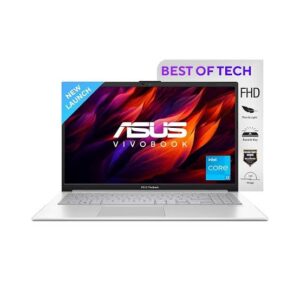
For those just stepping into design (e.g. web graphics, UI layout), this trimmed-down variant is a reliable entry point. The Intel i3 handles Adobe tools decently and the 512 GB SSD offers quick access—though consider upgrading to 16 GB soon. Great choice if you’re starting small.
3. Dell Inspiron 3530 (Intel i5, Iris Xe)
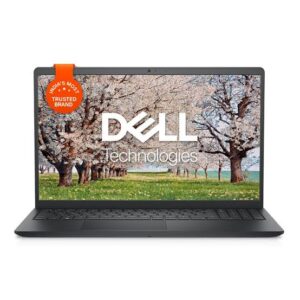
A balanced workhorse with a solid i5 processor and Iris Xe GPU that breezes through Photoshop and Illustrator. The addition of a touchscreen enhances drawing/precision tasks, and Dell’s service network is a plus for peace of mind.
4. Lenovo IdeaPad Slim 3 (Intel i5)
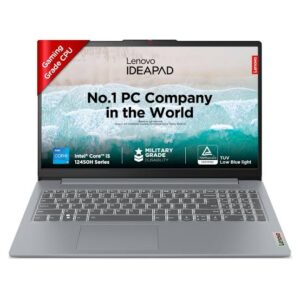
Very similar to the Dell in specs, but with a sleeker chassis and touchscreen. Strong colour accuracy, upgradeable RAM, and Lenovo’s reliability make it a great all-rounder.
5. Acer Aspire 5 (12th Gen i5, Iris Xe)
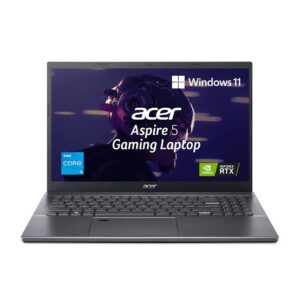
Despite a slightly higher tag, this model frequently dips under ₹50k. Top-tier battery life (up to 14 hours), ample ports, and sturdy design ideal for on-location designer workflows.
6. HP 15s (Ryzen 5, Integrated)
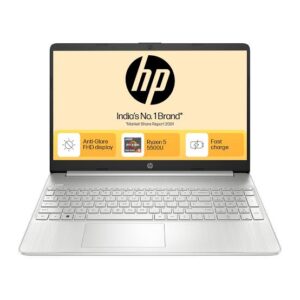
Excellent CPU/RAM combo, crisp FHD IPS screen, and long battery life. Good for mainstream design work—strong contender in value segment.
7. Lenovo IdeaPad 3 (Ryzen 5, Integrated)
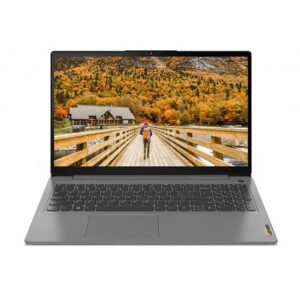
Another Ryzen pick with 16 GB RAM pre-installed. Clean aesthetics, good screen, and enough power for creative projects. A reliable alternative to HP/ASUS.
8. Dell Inspiron 15 3535 (Ryzen 5, Iris Xe)

Same build DNA as Inspiron 3530 but with Ryzen performance and integrated Iris Xe. Smooth, responsive experience; Dell support adds reliability.
9. ASUS Vivobook Go 14 (Ryzen 5)
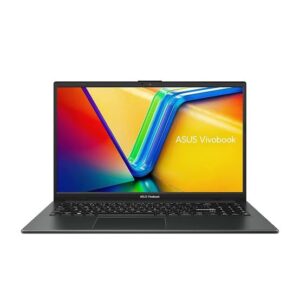
A more portable sibling to the 15″ model—great for travelling designers. Less screen real estate, but lighter and power‑efficient—perfect for UX, digital drawing, and client meetings.
10. MSI GF63 Thin (Intel i5 + RTX 2050)
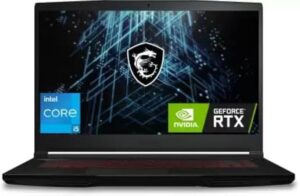
One of the few laptops with a dedicated RTX 2050 GPU under ₹50k. Suited for designers who do 3D, motion graphics or work in Premiere—as GPU acceleration is significant. Its 144 Hz panel is bonus for smooth visuals, though battery life and weight lean more gaming‑style.
🎖️ Which Should You Pick?
💻 Performance (CPU, GPU, RAM)
Heavy Software Users (Photoshop + Illustrator + InDesign combo, Lightroom, Figma):
Go for at least Ryzen 5 / Intel i5 processors.
Minimum 16 GB RAM is ideal; upgrade if needed.
Top picks:
✅ ASUS Vivobook Go 15 (Ryzen 5, 16 GB)
✅ Dell Inspiron 3530 (Intel i5)
✅ MSI GF63 Thin (RTX 2050)
Basic to Intermediate Design (Canva, CorelDRAW, Affinity, vector-only tasks):
8 GB RAM and integrated graphics will be fine.
Top picks:
✅ ASUS Vivobook Go 14 / 15 (i3 or Ryzen)
✅ HP 15s (Ryzen 5, 8 GB)
🔋 Battery Life
If you work on the go—client locations, college, travel—choose laptops with good power efficiency:
14–17 hours battery backup:
✅ Acer Aspire 5 (i5, Iris Xe)
✅ ASUS Vivobook Go 15 (Ryzen)Moderate 6–9 hours:
✅ Dell Inspiron series
✅ Lenovo IdeaPad Slim 3Lower battery (due to GPU):
❌ MSI GF63 Thin (GPU-heavy, ~3–4 hours under load)
🎨 Display Quality & Color Accuracy
For color-sensitive tasks (print design, photo retouching, branding):
Look for IPS or OLED Full HD displays with 100% sRGB or close.
Best in class:
✅ ASUS Vivobook Go 15 OLED (Ryzen 5)
✅ Lenovo Slim 3 / IdeaPad 3 with FHD IPS
✅ Acer Aspire 5 IPS Panel
🧳 Portability & Build Quality
For users needing lightweight and durable laptops:
Under 1.6 kg:
✅ ASUS Vivobook Go 14 (1.4 kg)
✅ Lenovo IdeaPad Slim seriesSolid build with MIL-STD-810 rating:
✅ ASUS Vivobook Go 15
Avoid heavier units (2+ kg) unless GPU is essential.
🔧 Upgradeability
If you plan to upgrade RAM or SSD later:
Look for laptops with user-accessible slots:
✅ Dell Inspiron 3530 / 3535
✅ HP 15s (Ryzen)
✅ MSI GF63 Thin
✅ Lenovo IdeaPad 3 (Ryzen / Intel)
Some models like ASUS Vivobook Go 15 (Ryzen 5) come with soldered RAM, so choose 16 GB variant from the start.
 FAQ – Best Laptop Under 50000 for Graphic Designer
 FAQ – Best Laptop Under 50000 for Graphic Designer
Is 8 GB RAM enugh for graphic design?
For casual editing and small files, Yes. But once you run multiple Adobe apps, brush-heavy Photoshops files, or layered Illustrator work, 16 GB is strongly recommended for smooth workflow
Do integrated GPU(Iris Xe, Radeon) suffice?
Absolutely—for vector work, web/print design, and light photo editing—integrated GPUs are sufficient. For rendering, 3D, and Premiere Pro effects, dedicated GPUs (GTX/RTX) provide real speed.
What Type of display i look for?
Aim for IPS or OLED FHD screens with 100% sRGB or better. OLED models used here (Vivobook Go 15) offer more vibrant colour depth and contrast—great for visual accuracy.
Should i prioritise batte life or screen quality?
If you’re mobile (cafes, client meetings), battery is key. If you’re studio-based, display colour accuracy matters most. Balance it based on your workflow.
Can i do professional graphic design under 50k
Yes, you can handle basic to intermediate graphic design tasks (like Photoshop, Illustrator, Figma, Canva) on laptops under 50000 – But they may not be ideal for 3D design, video editing, or heavy Mutitasking.
Which processer is best under 50k for design work
Look for AMD Ryzen 5 5500U or intel core i5 (11th or 12 gen). These offer a good balance of speed, efficiency, and graphics power for creative software
How much RAM is required for smooth graphic design
8GB RAM is the minimum for tool like Photoshop and illustrator. However , If you can get a laptop with 16GB RAM(like a Asus Vivobook go 15),It’s a huge bonus.
What Display specs should I look for
Go for a 15.6″ Full HD (1920×1080) IPS Display with the good brightness and color accuracy (at least 45% NTSC or better). Avoid TN panels or low-resolution screens.
Can i upgrade RAM or storage later?
Many laptops under 50K allow you to Upgrade RAM up to 16 GB and add a second SSD or HDD. Always check the model’s specs before buying if upgradability matters to you.
Final Verdict – Best Laptop Under 50000 for Graphic Designer
 Final Verdict – Best Laptop Under 50000 for Graphic Designer
For most designers, the ASUS Vivobook Go 15 (Ryzen 5, 16 GB) stands out—great CPU, enough RAM, optionally vibrant OLED display, and thoughtful build features—all at around ₹42 k.
If your workload includes more GPU-heavy tasks, MSI GF63 Thin (RTX 2050) is worth it—the dedicated GPU gives you headroom for 3D, motion graphics, or video work.
If you travel often or need portability, the lightweight Vivobook Go 14 is a smart pick with solid specs for mainstream design tasks.
Pingback: Best Gadgets for students under 500 -