
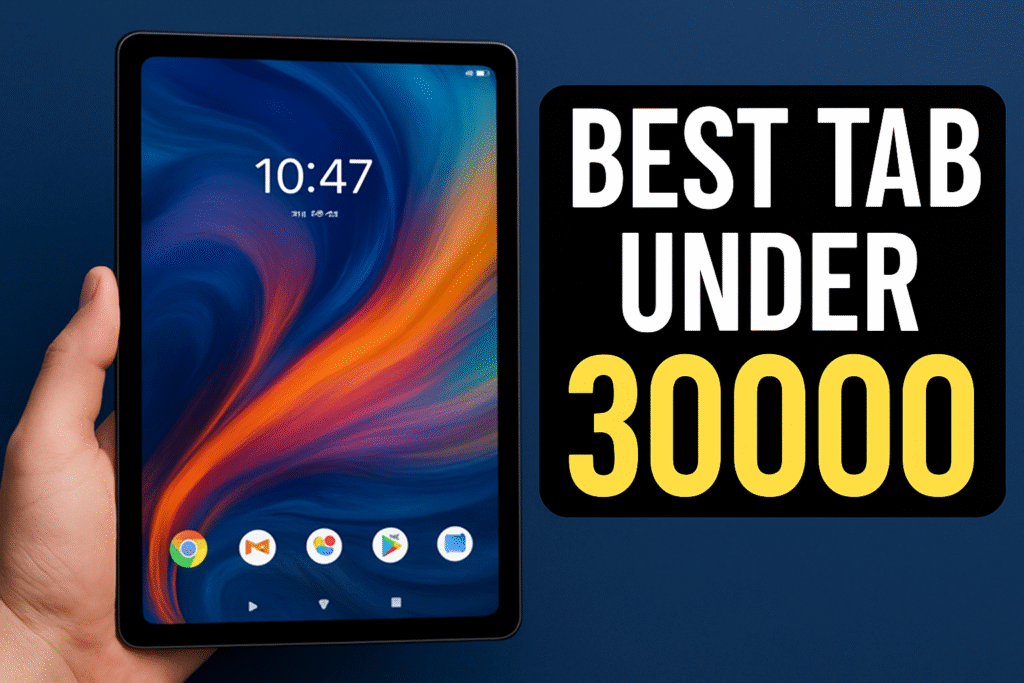
Best Tab under 30000 with Best Display
(2026)
- Introduction : Why Display Quality Matters in a Tablet
- Things to Consider Before Buying a Tablet Under ₹30,000
- Top Picks in August 2025: Best Tablets under ₹30,000 with Stunning Displays
- Display Factors to Watch in the Best Tab under 30000 with Best Display
- Display Types Explained (IPS LCD vs TFT vs AMOLED)
- Resolution & Pixel Density: Sharpness That Stands Out
- Refresh Rate: Why 90Hz or 120Hz Feels Smoother
- Brightness & HDR Compatibility for Better Viewing
- Color Accuracy & Wide Color Gamut Support
- Comparison Table: Specs & Display Side‑by‑Side
- Which Tablet Should You Pick? (My Choice)
- Tips to Maintain Your Tablet’s Display Quality
Introduction : Why Display Quality Matters in a Tablet
When hunting for the Best Tab under 30000 with best Display, remember: your screen is everything. Whether you’re gaming on Call of Duty, Netflix‑bingeing, sketching in Procreate, or just doomscrolling at midnight—if the visuals are low-res, dim or blurry, it ruins the vibe. A great display boosts immersion, reduces eye strain, and upgrades every task. Let’s dig into why display quality matters—even when your budget caps at ₹30,000.
Things to Consider Before Buying a Tablet Under ₹30,000
Before you zero in on the Best Tab under 30000 with best Display, ask — what’s your priority? Video bingeing, light editing, sketching? Key factors include:
- Display type (AMOLED, IPS, TFT/LCD)
- Resolution and Brightness
- Refresh rate
- Color accuracy and HDR support
These specs combo decides how immersive, fluid and eye‑friendly your viewing experience will be. Let’s break them down.
Top Picks in August 2025: Best Tablets under ₹30,000 with Stunning Displays
Xiaomi Redmi Pad Pro 5G

12.1″ 2.5K (2560×1600), ~249 ppi
120 Hz AdaptiveSync refresh
500–600 nits brightness, 12‑bit color, Dolby Vision, TÜV-certified
Smooth visuals and cinematic image quality at ₹22,999–25,299.
Lenovo Idea Tab Pro
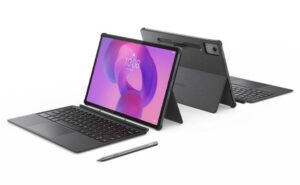
12.7″ 3K (2944×1840), ~273 ppi
144 Hz refresh rate
400 nits typical brightness, LCD panel with 96% color gamut and 1500:1 contrast
Excellent large‑screen productivity and media on a budget (~₹24,990–28,990).
Xiaomi Pad 6
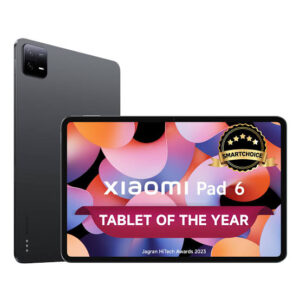
11″ 2.8K (2880×1800), ~309 ppi
144 Hz adaptive refresh
HDR10 + Dolby Vision, ~550 nits peak brightness, DCI‑P3 gamut, TÜV‑certified eye care
Sharpest, most color‑accurate screen in the ₹30K bracket (~₹26,999–29,999).
Samsung Galaxy Tab S9 FE
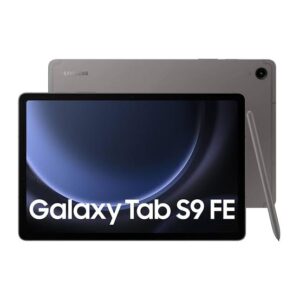
10.9″ 1440×2304 IPS LCD (~249 ppi)
90 Hz refresh, HDR10 support
Bright, accurate colors, great viewing angles and punchier blacks than older TFT
Reliable brand support in the ₹26K range.
OnePlus Pad Go / OnePlus Pad Lite
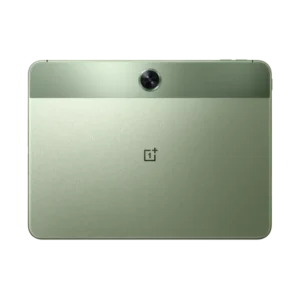
11″ ~2408p resolution, ~249‑260 ppi
90 Hz refresh
Good brightness and balanced color output at ₹17,999–20,490 (value pick).
Display Factors to Watch in the Best Tab under 30000 with Best Display
Before committing to the Best Tab under 30000 with best Display, scope out these essential display specs:
- Panel type (IPS LCD, TFT, or rarely AMOLED)
- Resolution & pixel density (ppi)
- Refresh rate (60Hz vs 90/120/144Hz)
- Brightness (nits)
- HDR support & color gamut
These specs determine how punchy, smooth, and vivid your content looks.
Display Types Explained (IPS LCD vs TFT vs AMOLED)
Under ₹30K, most tabs offer IPS LCD or TFT LCD screens.
- TFT (e.g., Samsung Galaxy Tab S9 FE) gives decent sharpness and wide viewing angles, but colors and contrast are more flat
- IPS LCD (like Xiaomi Pad 6 and Redmi Pad Pro 5G) offer better color, deeper blacks, and HDR support, especially with Dolby Vision enabled
- AMOLED is rare under ₹30K; none of the August 2025 picks include true OLED. So IPS is your go-to for vibrant, balanced visuals.
Resolution & Pixel Density: Sharpness That Stands Out
With razor‑sharp fonts, crisp icons, and fine detail in video, resolution matters:
- Redmi Pad Pro 5G features a 12.1″ 2.5K screen (2560×1600, ~249 ppi) with Gorilla Glass 3 and 12‑bit color depth (~68 billion colors)
- Lenovo Idea Tab Pro boasts a 12.7″ 3K (2944×1840) LCD with ~273 ppi, delivering fine, clean details on large real estate
- Xiaomi Pad 6 has an 11″ 2.8K (2880×1800) display (~309 ppi)—super sharp for streaming and texts alike
Refresh Rate: Why 90Hz or 120Hz Feels Smoother
Refresh rate = fluid motion.
- Lenovo Idea Tab Pro delivers 144 Hz, making swipes, games, and scrolling feel buttery smooth—even exceeding many flagship phones
- Redmi Pad Pro 5G uses adaptive 120 Hz (switches between 30–120 Hz based on content) for a silky UI experience without draining battery
- Xiaomi Pad 6 also supports 144 Hz, adapting to content type to save power when high Hz isn’t essential
- Samsung Tab S9 FE sticks to 90 Hz, but still smoother than standard 60 Hz and great for everyday use
Brightness & HDR Compatibility for Better Viewing
High brightness means you can view content clearly—even outdoors. HDR support adds cinematic highlights and deeper shadows.
- Redmi Pad Pro 5G hits 500 nits (typ) and up to 600 nits HBM peak brightness, with HDR10 and Dolby Vision support
- Xiaomi Pad 6 offers around 550 nits, HDR10 and Dolby Vision, plus TÜV‑certified low‑blue‑light output for late-night viewing
- Lenovo Idea Tab Pro is solid with ~400 nits brightness—not the brightest, but its resolution and refresh rate compensate
- Samsung Tab S9 FE delivers good brightness (~500 nits) and native HDR10 playback on its QHD panel
Color Accuracy & Wide Color Gamut Support
Vivid, real-life color matters for editors, creators, and movie lovers.
- Redmi Pad Pro 5G supports 12‑bit color (over 68 billion colors) and Dolby Vision, with TÜV‑certified low blue‑light and flicker‑free modes
- Xiaomi Pad 6 covers DCI‑P3 gamut and offers Dolby Vision & HDR10, so creatives get accurate, cinematic tones without oversaturation
- Samsung Tab S9 FE’s IPS LCD renders accurate colors—users on Reddit say “colors are accurate and can punch it out like an AMOLED”
Comparison Table: Specs & Display Side‑by‑Side
| Tablet Model | Display Size | Resolution | Refresh Rate | Brightness (nits) | HDR Support | Color Depth & Gamut |
|---|---|---|---|---|---|---|
| Redmi Pad Pro 5G | 12.1″ | 2560×1600 | 120 Hz | ~500–600 | HDR10, Dolby Vision | 12‑bit, 68 billion colors |
| Lenovo Idea Tab Pro | 12.7″ | 2944×1840 | 144 Hz | ~400 | HDR10 | ~1500:1 contrast, ~96% gamut |
| Xiaomi Pad 6 | 11″ | 2880×1800 | 144 Hz | ~550 | HDR10, Dolby Vision | 1 billion colors, DCI‑P3 |
| Samsung Galaxy Tab S9 FE | 10.9″ | 1440×2304 | 90 Hz | ~500 | HDR10 | Accurate IPS color (~249 ppi) |
| OnePlus Pad Go / Lite | 11″ | ~2408p | 90 Hz | ~450 | Basic HDR | Decent LCD gamut |
Which Tablet Should You Pick? (My Choice)
- If you want the Best Tab under 30000 with best Display that blends resolution, refresh rate, and HDR well—Xiaomi Redmi Pad Pro 5G and Xiaomi Pad 6 stand out.
- Prefer a larger canvas and ultra‑smooth scrolling? Lenovo Idea Tab Pro’s 12.7″ 3K 144 Hz screen offers superb immersion.
- If you’d rather stick with a trusted brand and want color-accurate general use plus S Pen stylus support—Samsung Tab S9 FE is reliable.
- For simpler daily use and crisp visuals at a lighter price, OnePlus Pad Go / Lite makes for a solid minimalist pick.
- But My overall choice is Xiaomi Pad 6
Tips to Maintain Your Tablet’s Display Quality
- Use auto‑brightness to adjust screen power & save battery.
- Toggle night/eye‑care mode to reduce blue light and avoid strain.
- Clean screen with microfiber cloth to keep brightness intact.
- Avoid extreme sunlight or heat—store in shade, don’t leave in hot car.
- Keep firmware/software updated—display calibrations often arrive in updates.
- Stream in HDR‑supported apps like Netflix or Amazon Prime to enjoy Dolby Vision capabilities.
Best Tab under 30000 with best Display (2026)
Best Tab under 30000 with Best Display (2026) Introduction : Why Display Quality Matters in…
Best bike for mileage in india (2026)
No Cap, These Are the Real Mileage Masters of 2025 Top 10 Picks of Best…
Buy Fat Bike – The Complete 2025 Buyer’s Guide
🚲 Introduction Of Buy Fat Bike So, you’re thinking about getting a fat bike? Good…
Android 16 has arrived | What’s new on Android 16?
Android 16 has arrived , but to be honest, I’m not suprised at all. I’ve…
Chandigarh Bus Stand | Trycity Bus App & Tech Update
The Tech Revolution At Chandigarh Bus Stand How Traditional Transport got a Digital Makeover So…
Second hand phone under 2000
Second Hand Phone under 2000 Is It Even Possible now? Are you looking for an…